Shopify Owned Brand vs Distributed Products at Import
On this page
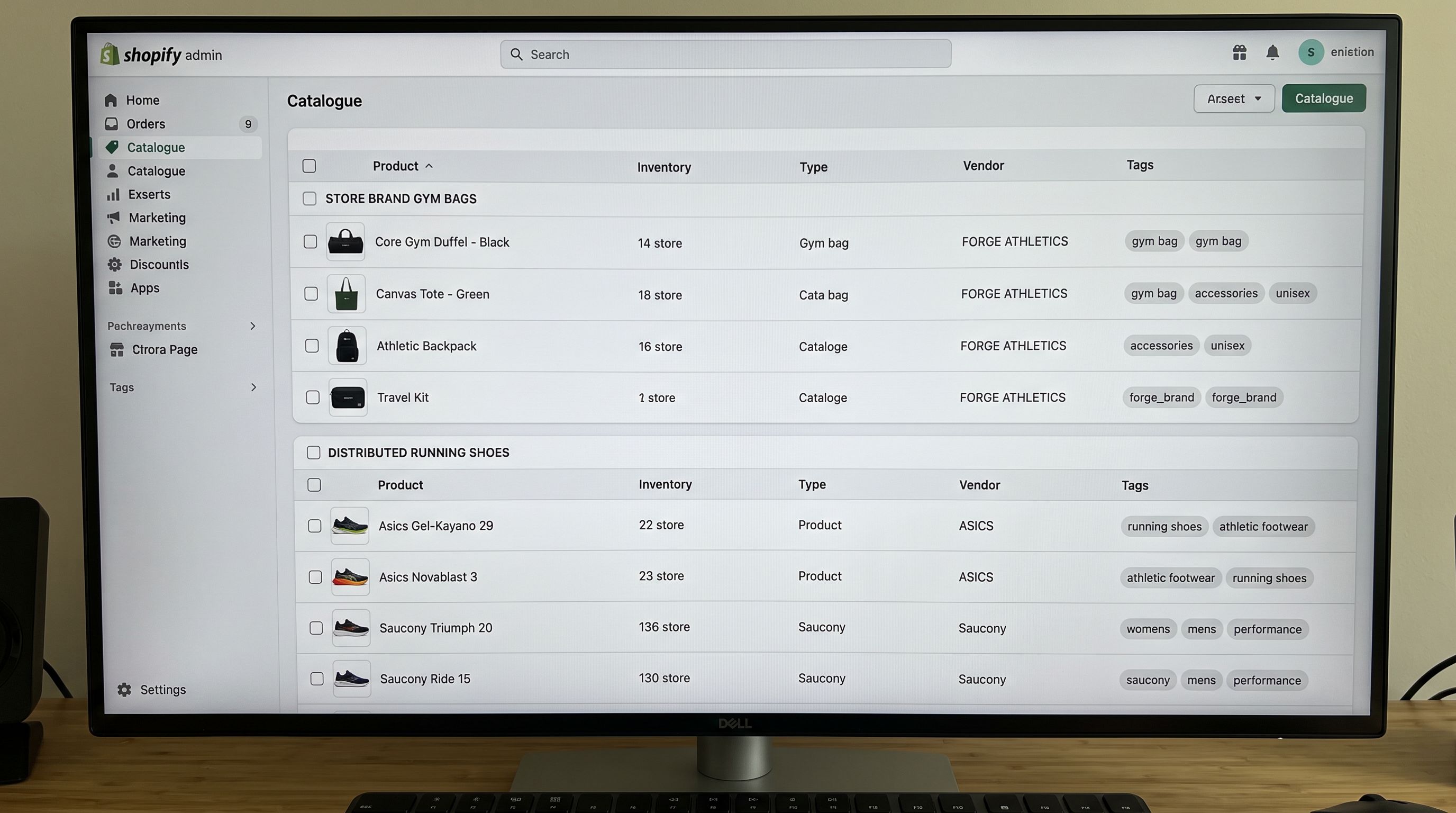
A sporting goods retailer in Brisbane designs and manufactures their own line of gym bags under a brand they built from scratch. They also distribute three established fitness brands: running shoes, compression gear, and training accessories from a supplier CSV.
When they configured Importier, they set up one Brand Voice profile and applied it to every import. After the first run, their product pages had:
- Gym bag descriptions that opened with the brand's voice, emphasised the brand's design philosophy, and listed the warranty terms. Correct.
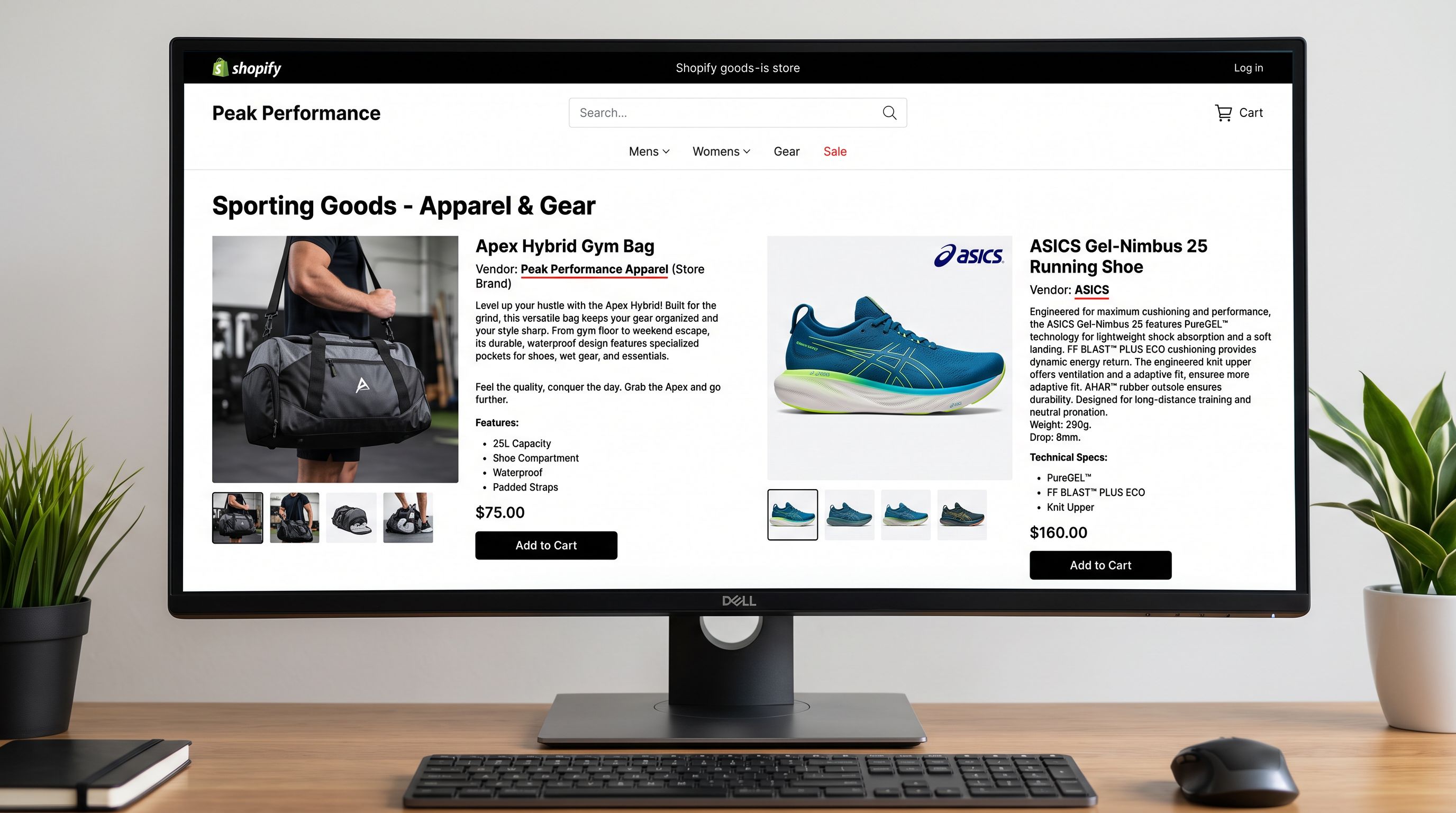
- ASICS running shoe descriptions that opened with "our performance footwear line" and described the brand's commitment to Australian sports culture. Wrong: ASICS is not their brand.
- Saucony compression shorts with "proprietary breathable fabric technology" in the description. Also wrong: the technology belongs to Saucony, not to them.
One import configuration, two fundamentally different product types. The Brand Voice that correctly represented their owned products actively misrepresented the distributed ones.
Why Owned Brand and Distributed Products Are Different Import Problems
Owned-brand products and distributed/resold products share a Shopify product form. They do not share an import strategy.
An owned-brand product is your intellectual property. You designed it, you specify its materials, you control the warranty. The description should build your brand identity. The specifications should be yours. The SEO equity from the product page belongs to your domain.
A distributed product belongs to another brand. You are an authorised retailer. The product description should be accurate to the manufacturer's specifications. Claims about the product's technology, materials, or performance should reflect what the manufacturer documented, not what your brand voice defaults to. The SEO equity from a standard manufacturer description shared across forty retailers is close to zero.
These two product types need different import configurations in three areas: description generation approach, GTIN and product identifier handling, and metafield structure.
Importing Owned-Brand Products
Owned-brand products benefit from the full Importier content stack: Brand Voice, industry-specific personas, description styles, and Industry Pack metafields.
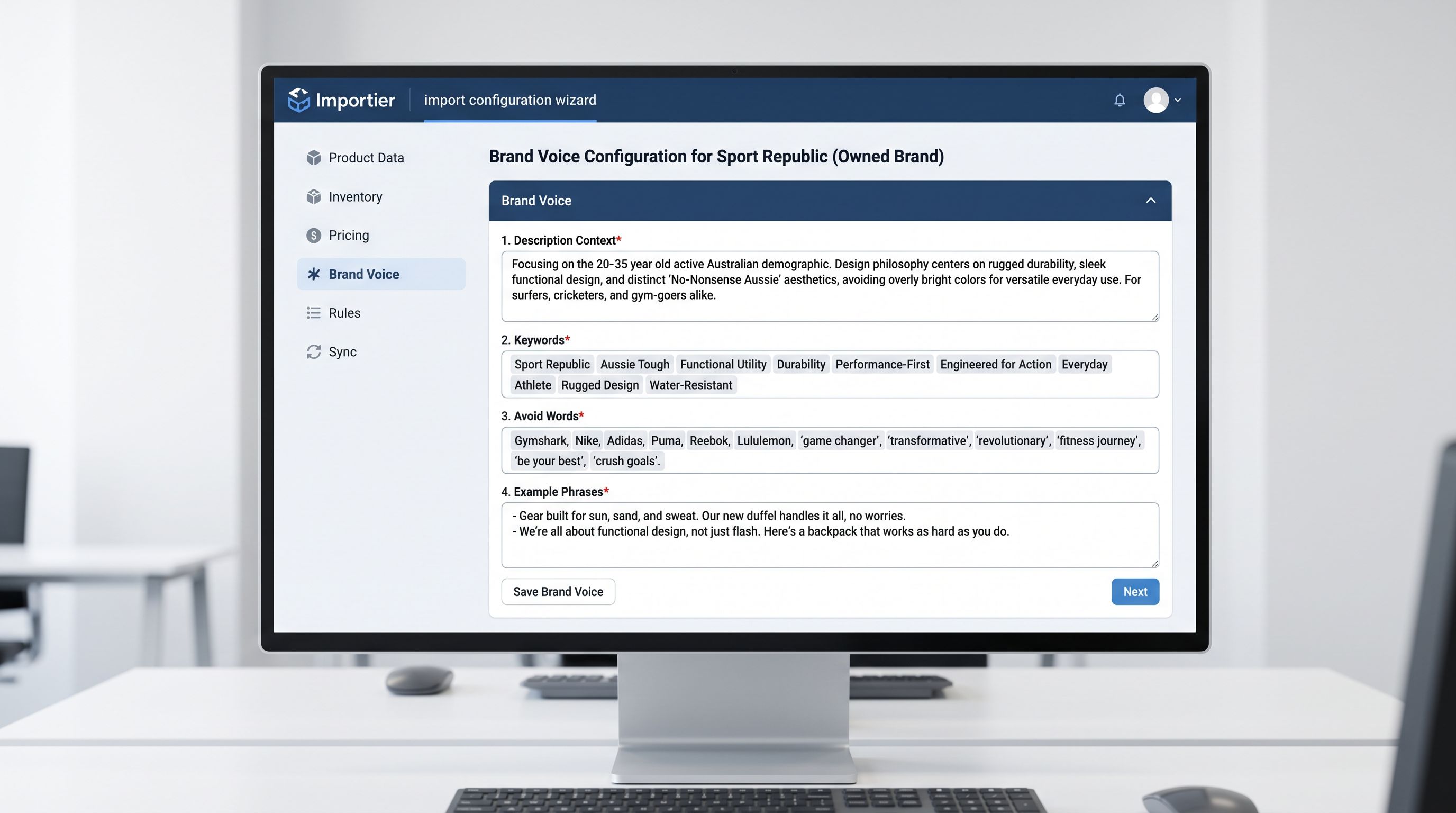
Brand Voice configuration. Set up your Brand Voice with your brand's specific inputs: your description of who the product is for, the keywords that represent your brand (not the product category generically), the words and phrases your brand avoids, and example sentences that show how your brand writes. This Brand Voice applies to every description generated for your owned products and produces consistent output across an entire product catalogue.
Description style selection. For owned brands, the description style choice depends on the product category and buyer intent. The Emotional Storytelling style works for lifestyle and gift products where the buyer is making an identity purchase. The Benefits-First style works for performance products where the buyer is solving a specific problem. Sensory-Rich works for food, fragrance, and materials-led products. None of these styles work well for distributed products where accuracy to the manufacturer record matters more than brand narrative.
Proprietary specifications as metafields. Owned-brand products often carry specifications that no supplier file includes: your warranty terms, your care instructions specific to your manufacturing process, your proprietary material blend ratios, your country of manufacture. These belong in structured metafields rather than the description body. The private label import workflow covers how to configure Industry Pack attribute types for proprietary specification fields.
GTIN handling. For owned-brand products manufactured for you, you register your own barcodes with a GS1 member organisation. Those GTINs are yours. They will not appear in any manufacturer database. Use your internal GTIN list as the source for the barcode column in your import file.
Distributed Products
Importing Distributed Products
Distributed products from established brands need a different approach: accurate, differentiated descriptions without brand attribution errors, correct manufacturer GTINs, and no Brand Voice override.
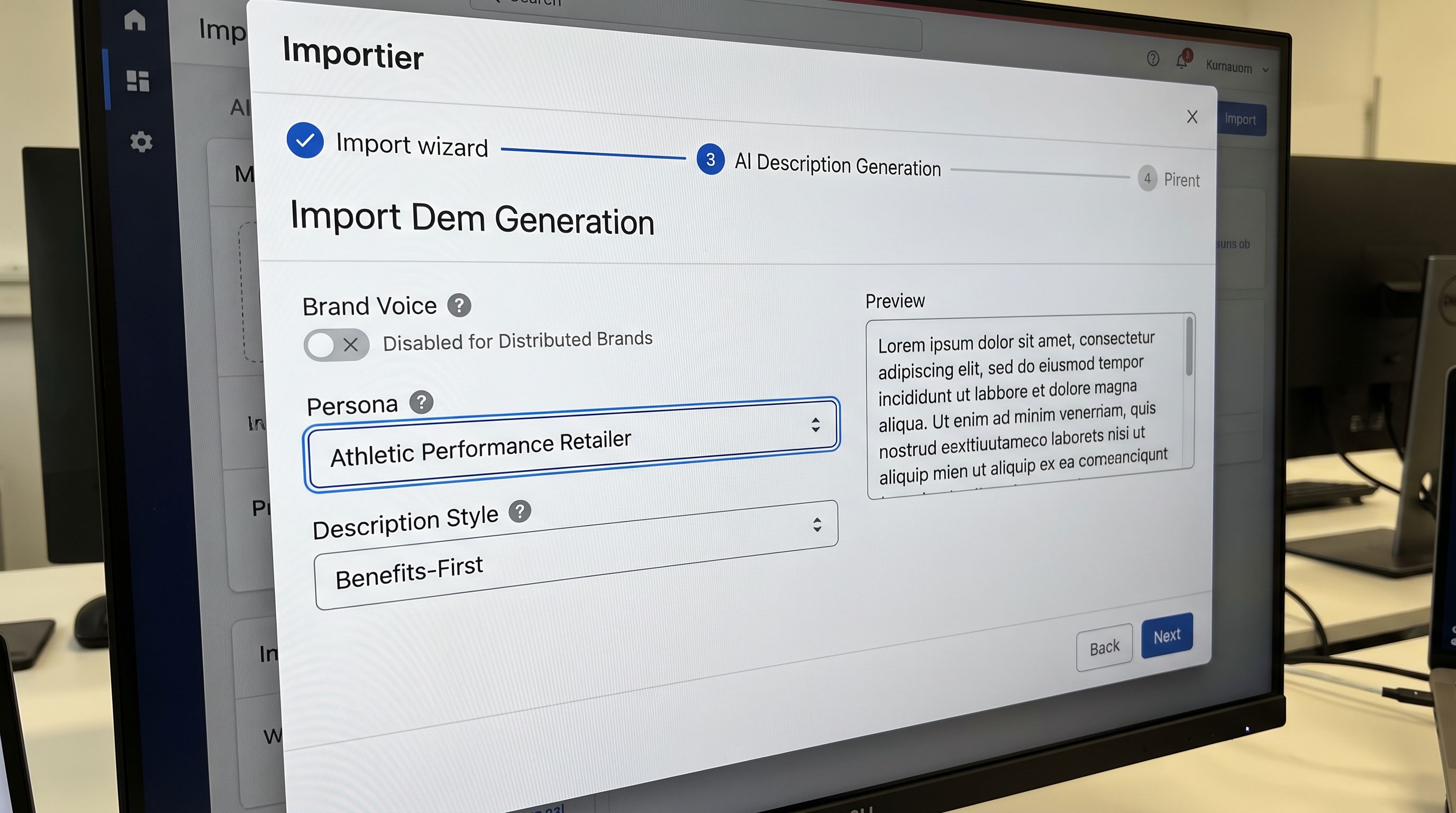
Turn off Brand Voice for distributed imports. Run a separate import for your distributed products with Brand Voice disabled. The description generation for these products should use an industry persona without Brand Voice so the output reflects what buyers want to know about the specific product and brand rather than what your store's brand voice says.
Use industry personas for feature emphasis, not brand attribution. A "Sporting Goods Retailer" or "Athletic Performance" persona generates descriptions that open with the product's primary performance benefit, specify the technical features a buyer uses to make a purchase decision, and name the technology correctly. "ASICS GEL cushioning" is the manufacturer's name for their cushioning system. A persona-driven description names it correctly. A Brand Voice override might call it "our advanced cushioning technology": a false claim applied to a product the store did not design.
Manufacturer GTINs from the supplier CSV. For distributed products, the GTIN comes from the manufacturer. Your supplier CSV should carry the manufacturer's barcode. Map the barcode column directly to the Shopify barcode field at import. These GTINs are registered in manufacturer databases, which means Importier's Data Enrichment can cross-reference them for additional specification data the supplier CSV doesn't include.
Differentiation within a category of distributed products. If you stock five brands of running shoes, each product page needs to differentiate its brand from the others. This is where the Importier persona earns its value for distributed products: a "Running Specialist Retailer" persona generates descriptions that lead with each brand's specific technology and positioning rather than generic running shoe copy. A buyer comparing ASICS GEL-Nimbus with Brooks Ghost on your site gets descriptions that explain why each model is different rather than descriptions that say both are "high-performance running shoes." The dropshipping AI description workflow covers how to generate differentiated descriptions for products sourced from the same supplier category.
Structuring the Catalogue to Separate Owned and Distributed
A mixed catalogue needs clear internal structure so the two product types are identifiable for reporting, collection routing, and future imports.
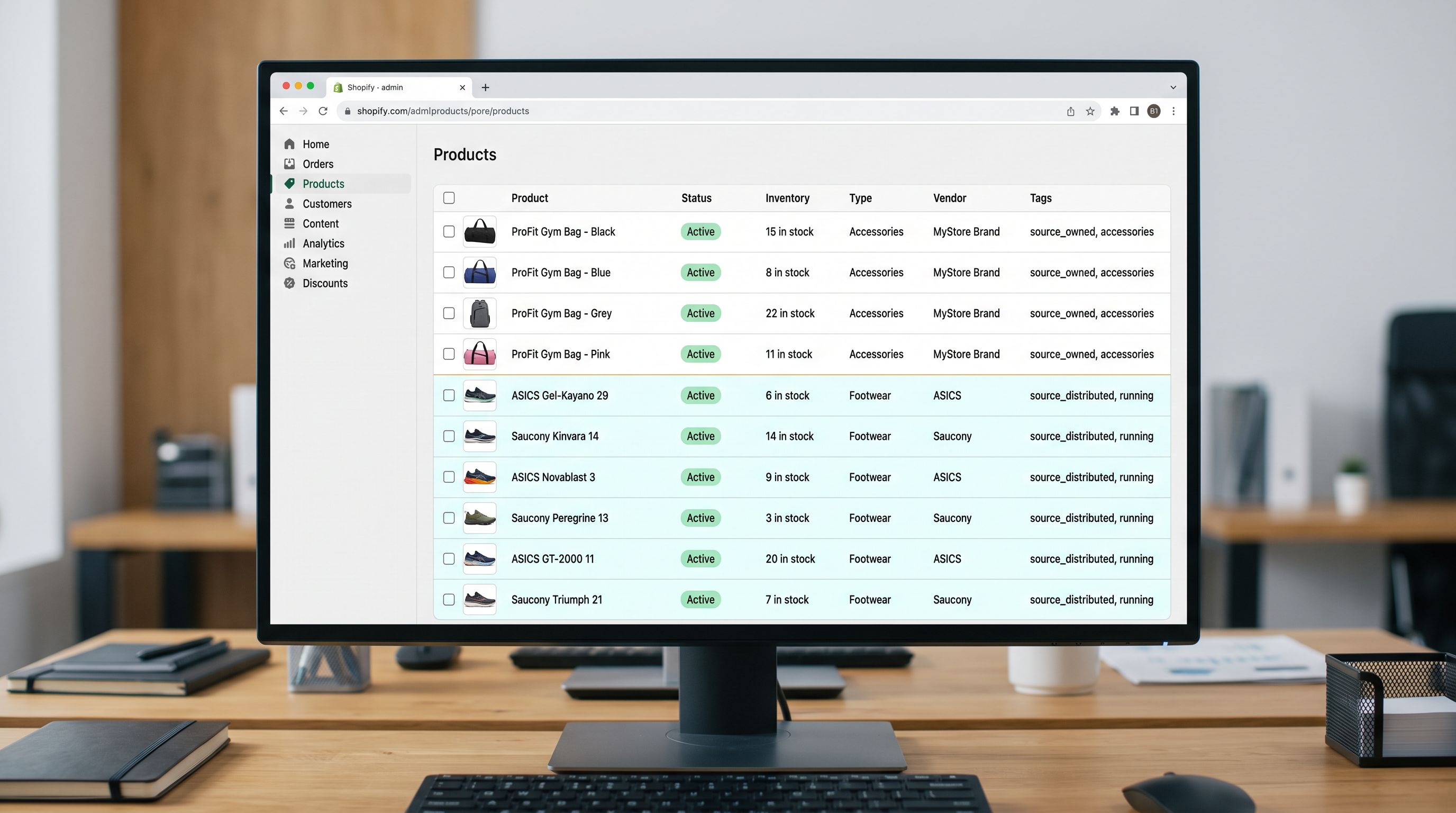
Vendor field. Set the vendor field at import time: your brand name for owned products, the manufacturer brand name for distributed products. According to Shopify's product details documentation, the vendor field drives collection filtering ("Shop by Brand"), Google Shopping's brand attribute, and your internal product lists. Correct vendor data at import means you never need to correct it later across hundreds of products.
Tags at import time. Add a tag at import to flag product type: source:owned for your manufactured products, source:distributed for resold items. Importier's column mapping step can add a fixed tag value to every product in an import batch. Tags persist and can drive automated collections, email segmentation, and reporting filters. Knowing the source type programmatically means you can filter to "all owned-brand products under 200 words" in the Shopify admin without manually inspecting each one.
Separate import presets. Save two named import configurations in Importier: one for your owned-brand products (Brand Voice enabled, Emotional Storytelling or Benefits-First style, proprietary spec metafields, your GTINs), one for distributed products (Brand Voice disabled, industry persona, manufacturer GTIN mapping, source:distributed tag). Using the correct preset is a one-decision step rather than a configuration review before each import. The preset name makes the scope clear: "Gym Bag Collection Import" and "Distributed Brands Import" tell any operator which one to use.
A distributed product page with a manufacturer description shared by forty other retailers ranks for nothing your store specifically offers. An owned-brand product page with original, Brand Voice-consistent content builds topical authority that only your domain accumulates.
SEO Equity: The Long-Term Reason to Keep Them Separate
The SEO implications of owned versus distributed products are different enough to shape how you invest in content for each.
Owned-brand products carry original content that no other Shopify store can have. Every description, every specification, every Brand Voice-configured sentence is unique to your domain. Google's quality systems reward this: a product page for your gym bag describes something that only your domain sells, with content that only your brand can produce. That content builds long-term topical authority for your domain in your product category.
Distributed products with manufacturer descriptions are a different situation. If forty retailers import ASICS GEL-Nimbus running shoes using the same supplier CSV, forty product pages carry very similar descriptions. The differentiation strategy for distributed products is therefore not Brand Voice (which just adds your brand's layer to the same underlying spec data) but specificity: the right persona generates descriptions that explain why this product fits specific use cases better than alternatives, giving your page a content angle that the manufacturer's standard description doesn't have.
For high-volume distributed product imports, generating differentiated descriptions at import time is a one-pass investment that delivers page-level differentiation across your entire distributed catalogue. Correcting it retroactively via the Store Scanner is the alternative, but the Store Scanner applies to products already live, while import-time configuration applies to the full catalogue before launch.
- 01Audit your product catalogue and classify every product typeowned-brand (you manufactured or designed it), distributed (another brand, you are an authorised retailer), or white-label (manufactured to your spec by a supplier); this classification drives every import decision that follows
- 02Set up two named import presets in Importierone for owned-brand products with Brand Voice enabled, your chosen description style, and proprietary spec metafields configured; one for distributed products with Brand Voice disabled, an industry persona set, and manufacturer GTIN column mapping
- 03For owned-brand productsconfigure Brand Voice with your brand's specific description context, keywords, avoid words, and example phrases; test with 5 products before running the full catalogue import
- 04For distributed productsselect the industry persona that matches the product category buyer psychology; set description style to Benefits-First or Technical Gadget for factual, specification-led output; ensure the GTIN column maps to the Shopify barcode field
- 05Set the vendor field correctly in each import presetyour brand name for owned products, the manufacturer brand name for distributed products; set source tags (source:owned, source:distributed) using a fixed tag column in the import mapping
- 06After the import, audit a sample of 10 products from each typeowned-brand pages should reflect your brand voice and contain no manufacturer brand attributions; distributed pages should accurately name the manufacturer's technologies without attributing them to your brand
- Brand Voice set for the store's own brand applies to every product; distributed brand product pages describe ASICS technology as the store's own; misleading brand attribution on manufacturer products
- Owned-brand gym bags and ASICS running shoes both use the same description template; no strategic difference in content approach between products the store controls and products another brand owns
- All products tagged identically; no way to filter by source type for reporting, collection routing, or targeted description audits
- Distributed products carry manufacturer descriptions identical to 40 other retailers; no differentiation angle; zero SEO equity specific to this store
- Single GTIN mapping for all products; owned-brand GTINs and manufacturer GTINs treated identically; no distinction in Data Enrichment handling
- Brand Voice applies only to owned-brand imports; distributed brand products use an industry persona without brand attribution; no false claims about manufacturer technology
- Owned-brand gym bags use Emotional Storytelling with Brand Voice; distributed shoes use Benefits-First with the Athletic Performance persona; each product type receives the content approach matched to its commercial role
- source:owned and source:distributed tags applied at import time; automated collections, email segmentation, and audit filters work on programmatic source data
- Distributed product descriptions lead with specific use-case differentiation and technology names; each brand's page explains why that product fits specific needs; differentiated from the manufacturer standard description
- Owned-brand GTINs from internal barcode registry; distributed product GTINs from manufacturer barcode column; Data Enrichment cross-references manufacturer GTINs for specification completeness
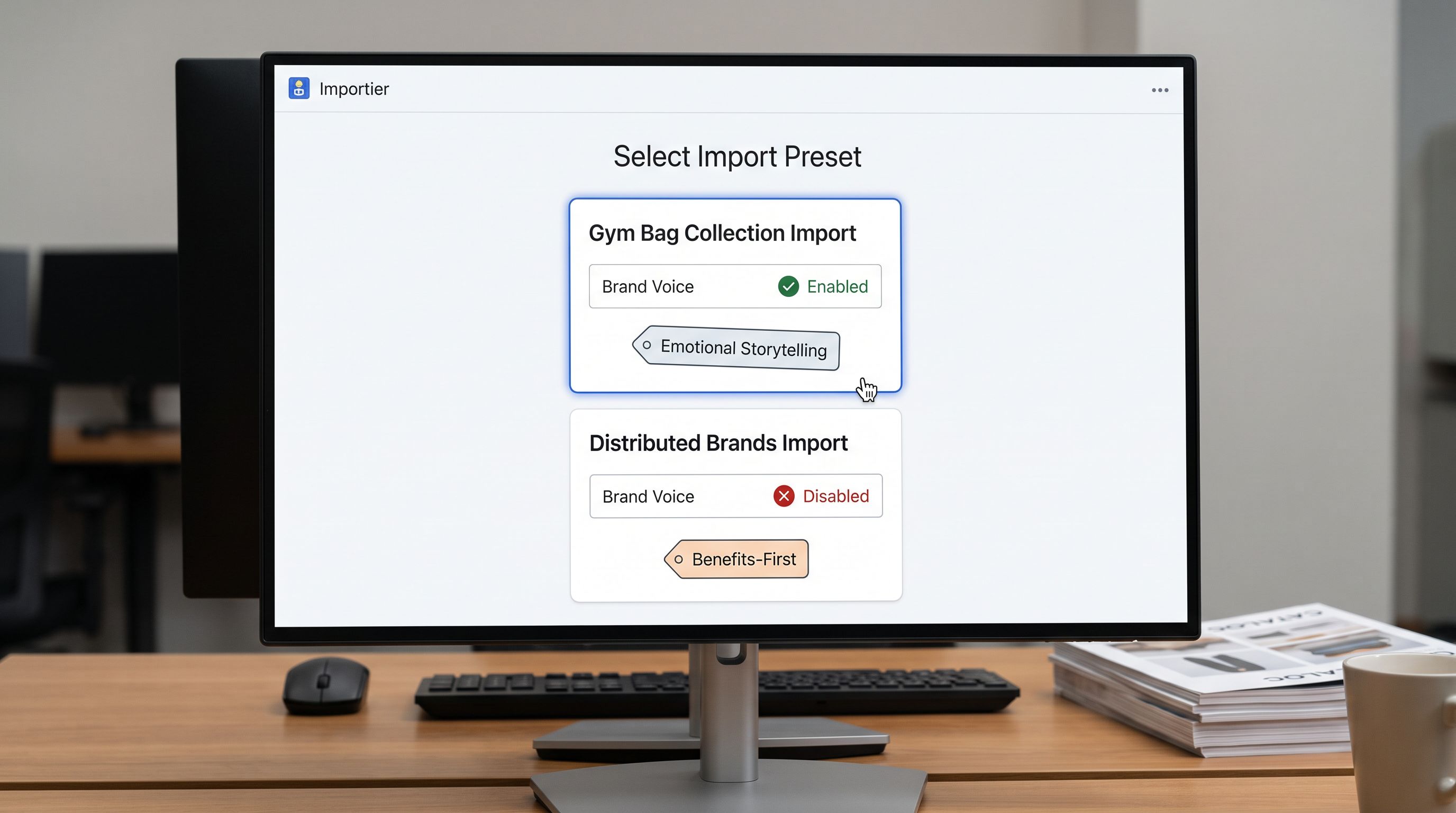
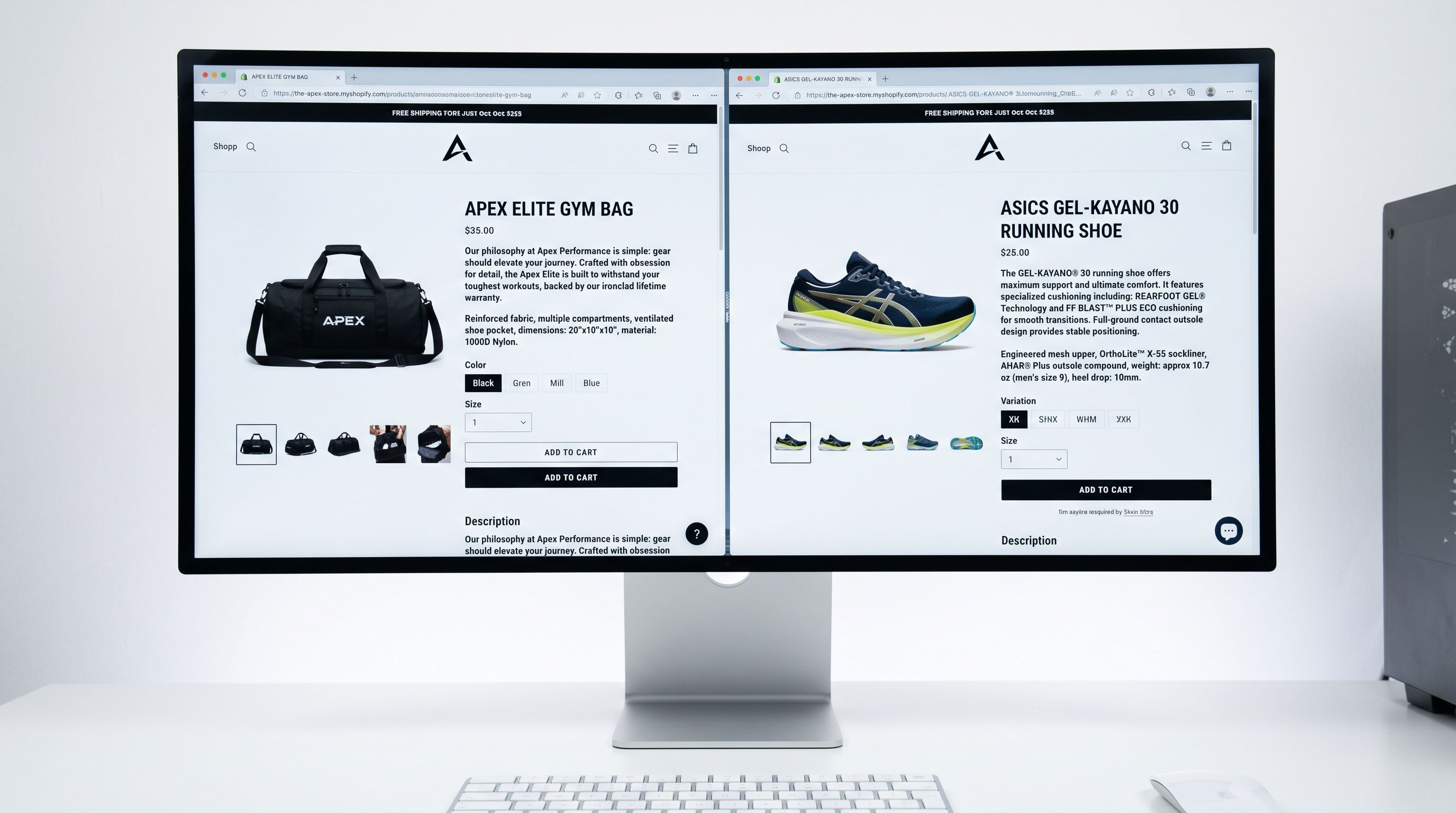
The Brisbane sporting goods retailer re-ran their import as two separate batches. Owned-brand gym bags: Brand Voice enabled, Emotional Storytelling, proprietary warranty and materials metafields, internal GTINs. Distributed brands: Brand Voice disabled, Athletic Performance persona, Benefits-First style, manufacturer GTINs from the supplier CSV.
The owned-brand pages sounded like one brand. The distributed pages described each manufacturer's product accurately with the differentiation angle the persona generated. No description attributed the brand's voice to a product from another manufacturer.
One catalogue. Two configurations. The separation took 40 minutes to set up. Correcting misattributed content retroactively across 180 product pages would have taken considerably longer.
Try Importier free at importier.app.
Set up your first import in under five minutes.
Importier brings products into Shopify with AI descriptions, category metafields, and data enrichment on every run.